Reports & DICOM
Clinical depth starts with the information doctors already use.
The Reports module is a real workflow: select a patient, choose a report type, upload/scan/manual entry, add clinical notes, then review report history.
1
Select Patient
Start in patient context.
LIVEStart in patient context.
2
Choose Report Type
Select the report category.
LIVESelect the report category.
3
Upload / Scan / Manual
Bring the report into the record.
LIVEBring the report into the record.
4
Add Clinical Notes
Capture context for review.
LIVECapture context for review.
5
Review & Report History
Use status and date filtering.
LIVEUse status and date filtering.
PDFIMAGESCSVTXTDICOM (.dcm)
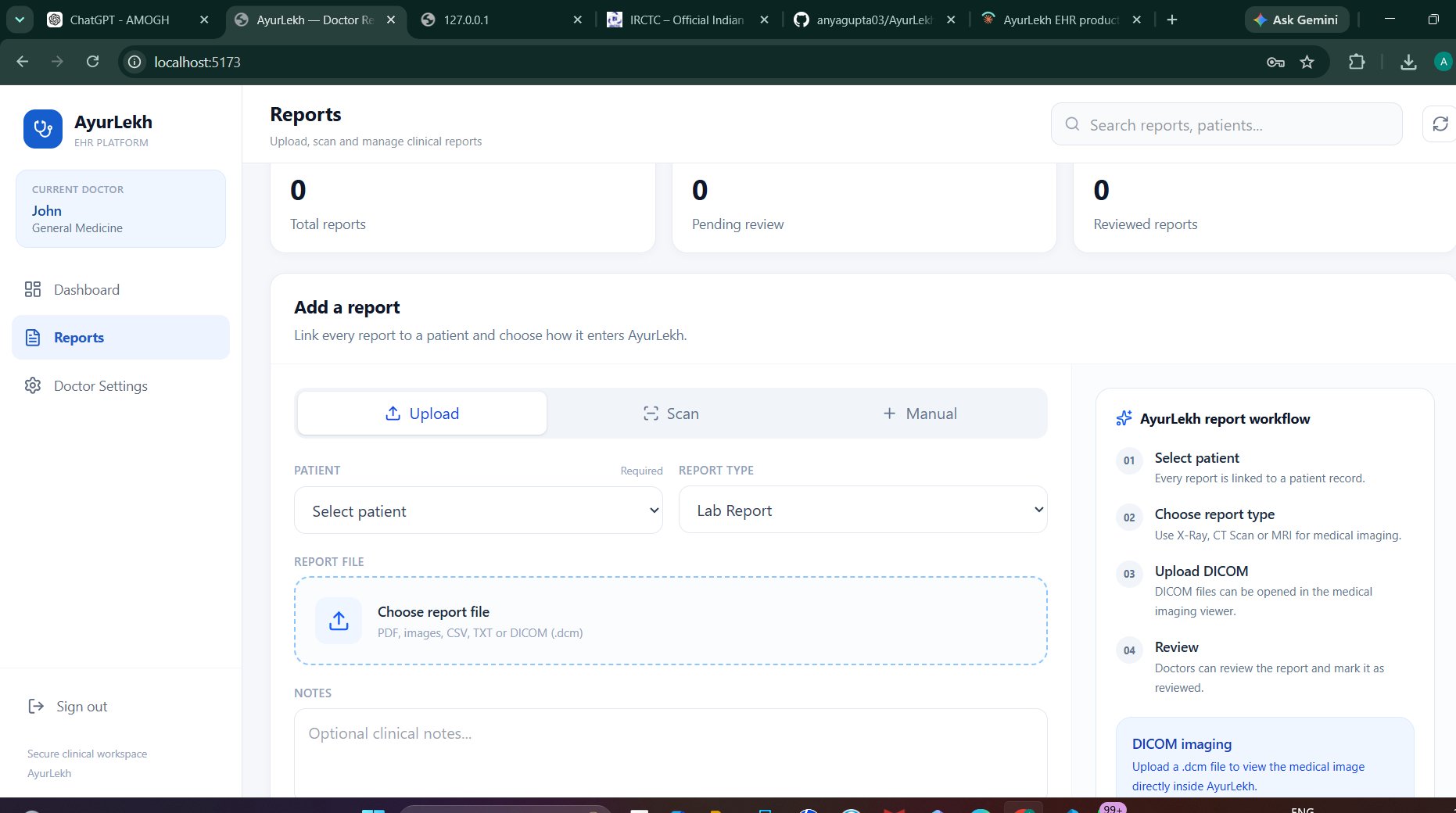
Real Reports module — Add a Report workflow with DICOM support.
Why this matters
Information should travel with the patient record.
Reports, laboratory information and imaging can be difficult to review when scattered across formats and workflows. Structured report handling creates a more coherent view.
AI direction
Assist the review — do not claim autonomous diagnosis.
The wider AI vision includes extracting and structuring information from reports and supporting clinically appropriate imaging workflows, subject to validation and intended-use requirements.
AI-ASSIST / VALIDATION REQUIRED